

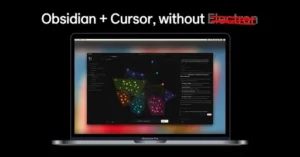
kuku
Average of 2 independent sources · Data updated: 2026-09-16 · How we score →
Show score breakdown
| Source | Rating | Weight |
|---|---|---|
| 5.5/10 | 60.0 % | |
| Product Hunt | 7.2/10 | 40.0 % |
We never award a 10/10 — the composite score is capped at 9.4. A perfect headline rating would not be credible.
Key facts at a glance
- What it is
- Kuku is a local-first AI Markdown workspace built exclusively for macOS.
- Toolsplorer score
- 6.2/10 (average of 2 independent sources)
- Pricing
- from $10.00/month
- Best for
- Knowledge workers who prioritize privacy and offline accessibility
- Most common criticism
- Limited online reviews and user feedback available for Kuku Camper rental service
Last updated:
Why this tool?
- Local-first AI markdown workspace that runs entirely offline on macOS
- Graph visualization of knowledge connections through wikilinks and backlinks
- AI editing with transparent, reviewable diffs for quality control
- Open source architecture eliminates vendor lock-in risk
When NOT to use?
- You need cross-platform access across Windows, Linux, or web browsers. Kuku is exclusively built for macOS, so teams using mixed operating systems or requiring web-based collaboration cannot use this tool.
- You require real-time synchronization across multiple devices or team members. As a local-first, offline-first application, Kuku prioritizes local storage over cloud sync, making it unsuitable for teams that need instant content updates across devices.
- You work in a highly regulated industry requiring strict data compliance and audit trails. Kuku's local-first architecture and limited enterprise features lack the compliance certifications and centralized control that regulated sectors typically demand.
- You need advanced project management, task assignment, or team collaboration features. Kuku is a personal knowledge base tool focused on writing and note-taking, not a project management or team coordination platform.
- You depend on integrations with your existing business software stack. Kuku's offline-first design means it has limited API connectivity and integrations compared to cloud-based alternatives that connect with CRM, project, and communication tools.
What Is Kuku?
Kuku is a local-first AI Markdown workspace built exclusively for macOS. Unlike cloud-dependent note-taking platforms, Kuku stores all data on your device, keeping your knowledge base private, fast, and fully accessible offline. It combines familiar Markdown editing with wikilinks, backlinks, a graph view, and AI-assisted editing that surfaces reviewable diffs — so you can accept or reject AI suggestions before they alter your notes. Positioned as open-source and lock-in-free, Kuku targets writers, researchers, developers, and knowledge workers who want full ownership of their data without sacrificing modern productivity features.
Core Features and Capabilities
- Local-first architecture: All notes are stored as plain Markdown files on your Mac. No account required, no sync server, and no risk of data being held hostage behind a paywall or service shutdown.
- Wikilinks and backlinks: Create
[[linked notes]]and automatically surface which other notes reference the current page, making it straightforward to build a connected knowledge graph without manual tagging. - Graph view: Visualize relationships between notes in an interactive node graph — useful for spotting knowledge clusters or orphaned documents in larger workspaces.
- AI editing with reviewable diffs: Trigger AI suggestions directly inside the editor. Rather than applying changes silently, Kuku presents a diff view so you can review, accept, or reject each modification line by line, preserving editorial control.
- Offline-first design: Because the workspace runs entirely on-device, performance is not dependent on internet speed or server uptime. This is a meaningful advantage for users in low-connectivity environments or those handling sensitive information.
- Open source: The codebase is publicly available, which enables community auditing, custom forks, and long-term sustainability independent of a single commercial entity.
Who Should Use Kuku and How Does It Compare?
Kuku occupies a space alongside tools like Obsidian, Logseq, and Bear. Compared to Obsidian, Kuku differentiates itself with native AI editing and reviewable diffs built directly into the core experience rather than relying on third-party plugins. Logseq similarly champions local-first workflows but uses a block-based outline model; Kuku sticks to conventional document-style Markdown, which many writers find more natural for long-form content. Bear is polished but proprietary and iCloud-dependent, whereas Kuku's open-source model eliminates vendor lock-in entirely.
- Best for: macOS users who write in Markdown daily, manage interconnected notes, and want AI assistance without ceding control of their files to a cloud service.
- Less suited for: Teams needing real-time collaboration, Windows or Linux users (macOS only at launch), or people who rely heavily on mobile access.
- Pricing: Based on its open-source positioning, Kuku appears to be free to use, though users should verify current pricing or any paid tiers on the official site at kuku.mom, as commercial features may be introduced over time.
Verdict
Kuku delivers a focused, privacy-respecting Markdown workspace that meaningfully integrates AI editing without removing the human from the loop. The reviewable diff approach to AI suggestions is a practical design choice that sets it apart from tools that apply AI changes automatically. For macOS users searching for a kuku alternative to cloud-locked note apps, or evaluating best SaaS Tool software options for personal knowledge management, Kuku is a credible, low-risk choice given its open-source nature and zero lock-in guarantee.
Pricing
Show price history table
| Date | Free | Pro | Team | Enterprise |
|---|---|---|---|---|
| Jul 2026 | $0 | $10 | $15 | Custom |
Ready to try kuku?
Try kuku for free and see for yourself.
kuku vs. Alternatives
| Feature | kuku | Obsidian | iA Writer |
|---|---|---|---|
| Local-first / Offline storage | ✓ | ✓ | ✓ |
| Wikilinks & Backlinks | ✓ | ✓ | ✗ |
| Graph view | ✓ | ✓ | ✗ |
| AI editing with reviewable diffs | ✓ | ○ | ○ |
| Open source | ✓ | ✗ | ✗ |
| Native macOS app | ✓ | ○ | ✓ |
| Markdown-native format | ✓ | ✓ | ✓ |
| No vendor lock-in | ✓ | ○ | ✓ |
✓ Supported ○ Limited ✗ Not supported
What users say
Reddit mentions of 'Kuku' refer to two distinct products: a Icelandic campervan rental company and an open-source AI-assisted Markdown workspace. The camper receives cautious interest with limited reviews, while the software tool shows modest early engagement from developers.
Based on 5 Reddit threads from r/VisitingIceland, r/ObsidianAI, r/coolgithubprojects.
Praised for
- Kuku Camper is being chosen over competitors due to fewer negative reviews compared to Happy Camper r/VisitingIceland, 2025-08
- Kuku's AI Markdown workspace offers local-first privacy with AI assistance directly integrated into note editing r/coolgithubprojects, 2026-05
Criticized for
- Limited online reviews and user feedback available for Kuku Camper rental service r/VisitingIceland, 2025-08
- Kuku campervan pricing is significantly higher (1,000+ euros more) compared to newer competitors like Iceland Campers r/VisitingIceland, 2025-12
vs. Alternatives
- vs Obsidian: Includes built-in AI editing without paid plugins
- vs Roam Research: Completely offline—no cloud dependency or subscription
- vs Notion: Local-first design means faster performance and zero data transmission
- vs Apple Notes: Enterprise-grade backlink graph and open source flexibility
Frequently Asked Questions
- What is kuku and how does it work?
- kuku is a local-first AI Markdown workspace designed for macOS that lets you create and manage a knowledge base with wikilinks, backlinks, and graph visualization. It combines offline-first functionality with AI-powered editing features that show reviewable diffs, all while keeping your data on your device without vendor lock-in.
- Is kuku free and open source?
- Yes, kuku is open source, which means you can inspect, modify, and contribute to its code. Being open source also ensures there's no vendor lock-in, giving you full control over your data and the ability to self-host or fork the project if needed.
- Can I use kuku offline?
- Yes, kuku is designed as an offline-first application, meaning it works completely on your Mac without requiring an internet connection. All your Markdown notes and knowledge base are stored locally on your device, protecting your privacy and ensuring uninterrupted access.
- What features does kuku offer for note-taking?
- kuku offers wikilinks for connecting notes, backlinks to see relationships between documents, and a graph view to visualize your knowledge base structure. It also includes AI editing capabilities with reviewable diffs, allowing you to see exactly what changes the AI makes before accepting them.
- Is kuku available for Windows or Linux?
- kuku is specifically designed for macOS and is not officially available for Windows or Linux. If you need cross-platform support, you may want to check the official site at https://www.kuku.mom/ for any future updates or alternative solutions.
