

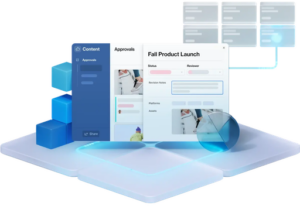
Airtable
Average of 4 independent sources · Data updated: 2026-10-21 · How we score →
Show score breakdown
| Source | Rating | Weight |
|---|---|---|
| Capterra | 9.2/10 | 35.7 % |
| Trustpilot | 4.2/10 | 28.6 % |
| 7.2/10 | 21.4 % | |
| Product Hunt | 9.5/10 | 14.3 % |
We never award a 10/10 — the composite score is capped at 9.4. A perfect headline rating would not be credible.
Key facts at a glance
- What it is
- Airtable is a cloud-based low-code platform that bridges the gap between traditional spreadsheets and professional databases.
- Toolsplorer score
- 7.4/10 (average of 4 independent sources)
- Pricing
- from $20.00/month (free tier available)
- Price tracking
- checked monthly since July 2026, last in October 2026 (3 snapshots); no verified price change
- Best for
- Project managers at mid-size agencies who need to track campaigns, assets, and timelines across multiple clients without learning SQL or database design
- Most common criticism
- App review process is extremely slow, with submissions stuck in queue for 3+ months during reorganization
Last updated:
Why this tool?
- Visual database with spreadsheet simplicity - no coding required to build relational databases that scale with your business
- API-first architecture enables seamless integrations with 1000+ apps and custom automation workflows without leaving the platform
- Flexible views (grid, calendar, gallery, kanban) transform the same data into multiple perspectives for different teams and workflows
- Real-time collaboration with granular permission controls allows distributed teams to work on structured data simultaneously
When NOT to use?
- You need a highly specialized, proprietary database system. Airtable is a general-purpose database tool, so if your business relies on industry-specific database architectures (like medical imaging systems or financial trading platforms), you'll outgrow its capabilities and need purpose-built software.
- You're processing millions of records with complex real-time analytics. Airtable's performance degrades significantly with large datasets and complex queries, making it unsuitable for big data applications or systems requiring sub-second response times on massive databases.
- You have strict data sovereignty or offline-first requirements. Airtable is cloud-based only with limited offline functionality, so if your organization needs complete data control on-premise or must function entirely without internet connectivity, it's the wrong choice.
- You're building an application requiring custom backend logic and integration complexity. While Airtable has APIs, building intricate multi-system integrations or needing deep custom business logic is cumbersome compared to traditional databases like PostgreSQL paired with application frameworks.
- Your budget is extremely tight and you need unlimited scale. Airtable's pricing scales with users and storage, making it expensive for large teams or data-heavy operations where self-hosted open-source databases would be significantly cheaper.
Airtable Review: A Flexible Low-Code Platform for Data Management
Airtable is a cloud-based low-code platform that bridges the gap between traditional spreadsheets and professional databases. It provides teams with a flexible way to organize, manage, and visualize data without requiring extensive coding knowledge. Available at https://airtable.com, Airtable operates on a freemium pricing model, making it accessible to individuals and small teams while offering advanced features for enterprise users.
What Is Airtable?
Airtable combines the familiar interface of spreadsheets with robust database functionality. Users can create tables, link records across bases, and automate workflows through a visual interface. The platform supports multiple views of the same data—including grid, calendar, kanban, gallery, and timeline views—allowing teams to work with information in ways that suit their specific needs.
Key Strengths
- Flexible Data Structure: Unlike rigid spreadsheets, Airtable allows you to create relationships between records and define field types (text, numbers, attachments, lookups, and more)
- Multiple View Options: Switch between grid, kanban, calendar, and gallery views without restructuring your data
- Automation Capabilities: Built-in automations reduce manual tasks, including triggers and actions for common workflows
- API and Integration: Robust API and native integrations with Zapier, Slack, and other tools enable customization
- Freemium Model: The free tier allows individuals and small teams to get started without investment
- Collaborative Features: Real-time collaboration, commenting, and permission controls support team workflows
Realistic Limitations
- Steep Learning Curve: While marketed as low-code, advanced features like formula writing and complex automations require technical understanding
- Performance at Scale: Performance can degrade with very large datasets or complex relationships across many bases
- Limited Offline Functionality: Unlike desktop spreadsheets, Airtable requires internet connectivity
- Pricing Escalation: Costs increase significantly when moving beyond the free tier, especially for teams needing multiple users and advanced features
- Formula Language: The formula syntax differs from Excel, requiring users to learn new conventions
- Collaboration Constraints: Simultaneous editing performance can be inconsistent with many concurrent users
Best Use Cases
Airtable works well for project management, content calendars, inventory tracking, CRM systems, and event planning. It's particularly effective for teams that need flexibility without enterprise database complexity. For best [category] software comparison in project management and database solutions, Airtable frequently ranks highly due to its balance of functionality and usability.
Airtable Alternatives
When evaluating Airtable alternatives, consider tools like Notion (broader workspace functionality), Monday.com (project-focused), Smartsheet (enterprise capabilities), or traditional databases like PostgreSQL or MongoDB (for technical teams). Each alternative offers different strengths depending on your specific requirements and technical expertise.
Pricing Structure
The freemium model includes a free tier with basic functionality. Paid tiers offer increased record limits, advanced automation, extended API access, and premium support. Organizations requiring extensive customization or enterprise security features will find costs substantial compared to traditional spreadsheet applications.
Conclusion
Airtable represents a genuine middle ground between spreadsheets and databases, offering legitimate value for teams seeking flexible data management solutions. However, it's not universally optimal—organizations with massive datasets, offline requirements, or tight budgets should evaluate alternatives. The Airtable review verdict depends entirely on your specific workflow requirements and team technical comfort level.
Pricing
Show price history table
| Date | Free | Team | Business | Enterprise Scale |
|---|---|---|---|---|
| Jul 2026 | $0 | $20 | $45 | Custom |
| Sep 2026 | $0 | $20 | $45 | Custom |
| Oct 2026 | $0 | $20 | $45 | Custom |
We check this pricing page every month and verify every apparent change against the Internet Archive. See how 227 tools moved in the SaaS Pricing Index →
Ready to try Airtable?
Try Airtable for free and see for yourself.
Airtable vs. Alternatives
| Feature | Airtable | Notion | Smartsheet |
|---|---|---|---|
| Spreadsheet-style grid view | ✓ | ✓ | ✓ |
| Relational database linking | ✓ | ○ | ✗ |
| Kanban board view | ✓ | ✓ | ○ |
| Gantt chart view | ○ | ✗ | ✓ |
| API access | ✓ | ○ | ✓ |
| Automations / workflow triggers | ✓ | ○ | ✓ |
| Form data entry | ✓ | ✓ | ✓ |
| Offline mode | ✗ | ✗ | ○ |
✓ Supported ○ Limited ✗ Not supported
What users say
Airtable is praised for its flexibility, intuitive UI, and powerful views/automation features that enable quick database building without coding. However, users express frustration with slow app review processes and scalability concerns as bases grow.
Based on 6 Reddit threads from r/Software_Finder, r/Airtable, r/vibecoding.
Praised for
- Super flexible for building quick databases without code with great UI and useful views (Grid, Kanban, Calendar) r/Software_Finder, 2026-04
- Automation and integrations save significant manual work, with new CLI tool enabling powerful AI agent integration r/Airtable, 2026-06
Criticized for
- App review process is extremely slow, with submissions stuck in queue for 3+ months during reorganization r/Airtable, 2026-04
- Data architecture and automation logic can break or cause issues when scaling bases r/Airtable, 2026-02
vs. Alternatives
- vs. Microsoft Excel: Excel is static and siloed; Airtable provides relational database power, real-time collaboration, and API automation that grows with enterprise needs
- vs. Monday.com: Monday focuses on project workflows; Airtable is the underlying data platform that powers any workflow, from CRM to asset management to event planning
- vs. Notion: Notion excels at documentation and knowledge; Airtable is purpose-built for operational data with stronger automation, integrations, and multi-view flexibility
Frequently Asked Questions
- How much does Airtable cost per month?
- Airtable's paid plans start at $20 per seat per month (Team plan, billed annually) or $24 billed monthly. The Business plan costs $45 per seat per month annually; Enterprise pricing is custom and requires contacting sales.
- Does Airtable have a free plan and what are its limits?
- Yes, Airtable offers a permanently free plan that supports unlimited bases with up to 1,000 records per base and 1 GB of attachment storage. Automations are limited to 100 runs per month on the free tier, and advanced views like Gantt and timeline are not available.
- What is Airtable best used for?
- Airtable is best used for teams that need a structured, visual way to manage projects, content calendars, product roadmaps, or CRM workflows without writing code. It excels when data needs to be viewed in multiple formats simultaneously — for example, the same dataset as a kanban board for a PM and as a calendar for a marketing team.
- How does Airtable compare to Notion as a database tool?
- Airtable is more powerful as a relational database — it supports linked records, rollups, and lookup fields that Notion handles less cleanly — while Notion is stronger for long-form documents and wikis. Teams needing serious data relationships and automations typically prefer Airtable; teams wanting an all-in-one notes-plus-database workspace lean toward Notion.
- What integrations does Airtable support?
- Airtable integrates natively with tools like Slack, Google Workspace, Jira, Salesforce, and Zapier, and offers a REST API for custom integrations. Its built-in automation can trigger actions in dozens of third-party apps; the Airtable Marketplace also provides pre-built extensions for reporting, charting, and data syncing.
- What is the record limit in Airtable and can it be increased?
- The free plan caps each base at 1,000 records; the Team plan raises this to 50,000 records per base, and the Business plan allows 125,000 records per base. Enterprise plans offer 500,000 records per base, making Airtable suitable for larger datasets though it is not designed to replace high-volume relational databases like PostgreSQL.
- Is Airtable worth it for small teams?
- Airtable is worth it for small teams whose work outgrows spreadsheets but who don't need a full custom database — the free plan is genuinely usable for simple projects, and the Team plan at $20 per seat unlocks automations and advanced views that significantly reduce manual coordination. Teams with very large datasets or complex reporting needs may find dedicated BI tools or SQL databases a better long-term fit.
Often combined with
-
 Notion
100%
Notion
100%
3 sources
- Category_overlap: 3
- Shared_category_ids: Array
-
 Trello
50%
Trello
50%
2 sources
- Category_overlap: 2
- Shared_category_ids: Array
-
 Monday.com
50%
Monday.com
50%
2 sources
- Category_overlap: 2
- Shared_category_ids: Array
-
 Datablist
25%
Datablist
25%
1 source
- Category_overlap: 1
- Shared_category_ids: Array
-
 Jira
25%
Jira
25%
1 source
- Category_overlap: 1
- Shared_category_ids: Array
