

Chronicle
Average of 1 independent sources · Data updated: 2026-07-22 · How we score →
Show score breakdown
| Source | Rating | Weight |
|---|---|---|
| Product Hunt | 6.7/10 | 100.0 % |
We never award a 10/10 — the composite score is capped at 9.4. A perfect headline rating would not be credible.
Why this tool?
- AI-powered slide generation cuts presentation design time by 80%
- Interactive deck features boost audience engagement beyond static slides
- Built for teams who need professional results without design skills
- Transforms raw content into visually cohesive presentations automatically
When NOT to use?
- You need offline-only presentation creation. Chronicle is a cloud-based SaaS tool that requires internet connectivity, making it unsuitable for teams working in environments without reliable online access or those with strict data residency requirements.
- Your organization uses air-gapped networks or has extreme security restrictions. If your company prohibits cloud software and requires all tools to run locally on isolated systems, Chronicle's cloud architecture will not meet your compliance or security policies.
- You're building presentations with highly specialized technical diagrams or custom formatting. While Chronicle excels at AI-generated content, teams needing pixel-perfect control over complex technical illustrations, CAD-style diagrams, or non-standard layouts may find AI suggestions limiting compared to manual design tools.
- Your team relies on extensive third-party plugin ecosystems. If you depend on niche integrations or custom plugins that only traditional tools like Microsoft Office or specialized software provide, Chronicle's more limited integration options may create workflow gaps.
- You're preparing presentations for highly regulated industries with audit trails and version control requirements. Some heavily regulated sectors (finance, healthcare, government) may require features that Chronicle doesn't emphasize, such as detailed audit logs, legally-binding approval workflows, or compliance-certified data handling.
Chronicle: AI-Powered Presentation Software Overview
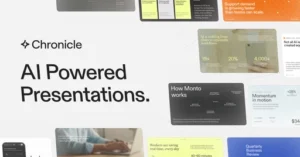
Chronicle (chroniclehq.com) is a browser-based AI presentation maker designed for professionals who need to produce polished, interactive slide decks without relying on traditional tools like PowerPoint or Google Slides. The platform positions itself as a modern alternative that combines AI-assisted content generation with visually refined templates, aiming to reduce the time spent on formatting while improving the overall impact of presentations. For anyone researching a Chronicle review or looking for the best SaaS tool software in the presentation category, it sits in a competitive but clearly defined niche.
Key Features and Capabilities
- AI slide generation: Chronicle uses AI to draft slide content from text prompts, helping users structure narratives and populate decks faster than manual authoring.
- Interactive presentation format: Unlike static PPT exports, Chronicle supports interactive elements that engage viewers during live presentations or async sharing.
- Modern design system: Built-in layouts and typography controls are tuned for professional use cases such as sales decks, investor pitches, and internal reporting.
- Browser-native workflow: No desktop installation is required; everything runs in the browser, which simplifies collaboration and version control across teams.
- Export options: Users can export to PDF or share via a live link, offering flexibility for both in-person and remote presentation scenarios.
Use Cases and Ideal Users
- Startup founders preparing investor-facing decks who need a professional finish without a dedicated design team.
- Sales professionals building repeatable pitch templates that can be personalized quickly for individual prospects.
- Marketing teams producing campaign reports or product launch presentations that require visual consistency.
- Consultants and freelancers who deliver client-facing materials regularly and want to reduce production overhead.
Chronicle competes directly with tools like Tome, Beautiful.ai, and Pitch. Compared to these Chronicle alternatives, its differentiator appears to be a tighter focus on AI-assisted narrative structuring alongside an interactive viewing experience, rather than purely aesthetic automation.
Pricing and Accessibility
Chronicle offers a free tier that allows users to explore core features without a credit card, making it accessible for individual users evaluating the platform before committing. Paid plans unlock additional AI credits, advanced collaboration features, and custom branding options, which are more relevant for team-level adoption. Specific plan pricing is listed on their site and follows a per-seat SaaS model typical of this software category. For small teams, the cost is generally comparable to mid-tier competitors in the AI presentation space.
Conclusion
Chronicle is a practical choice for professionals who produce presentations frequently and want AI assistance to accelerate both content creation and design. Its browser-native approach and interactive output format distinguish it from legacy tools, while its AI layer reduces the blank-page problem that slows down many users. It is worth evaluating directly alongside alternatives if you are deciding on the best SaaS tool software for presentation workflows, particularly for teams that prioritize a modern, shareable format over traditional slide exports.
Pricing
Show price history table
| Date | Free | Pro | Plus | Max |
|---|---|---|---|---|
| Jul 2026 | $0 | $12 | $25 | $45 |
Ready to try Chronicle?
Try Chronicle for free and see for yourself.
Chronicle vs. Alternatives
| Feature | Chronicle | Beautiful.ai | Gamma |
|---|---|---|---|
| AI-Powered Slide Generation | ✓ | ✓ | ✓ |
| Interactive Presentation Elements | ✓ | ○ | ○ |
| Professional Slide Templates | ✓ | ✓ | ✓ |
| Real-Time Collaboration | ✓ | ✓ | ✓ |
| Custom Branding & Brand Kits | ✓ | ✓ | ○ |
| Audience Engagement Analytics | ✓ | ✗ | ○ |
| Export to PowerPoint / PDF | ✓ | ✓ | ✓ |
| Embed Media & Web Content | ✓ | ○ | ✓ |
✓ Supported ○ Limited ✗ Not supported
What users say
The posts discuss various 'Chronicle' media with mixed reception. Final Fantasy Tactics - The Ivalice Chronicles received strong critical acclaim (88/100, 96% recommended), while other Chronicle titles show more niche or nostalgic appeal with lower engagement.
Based on 6 Reddit threads from r/patientgamers, r/Games, r/MastersOfTheUniverse.
Praised for
- Final Fantasy Tactics - The Ivalice Chronicles achieved 88 average score with 96% of critics recommending it r/Games, 2025-09
- Dream Chronicles sparked genuine passion in players, with nostalgic love for the series' Art Nouveau aesthetic and gameplay r/dream_chronicles, 2026-03
Criticized for
- Masters of the Universe Chronicles received minimal engagement with only 19 upvotes and no comments, suggesting limited interest r/MastersOfTheUniverse, 2026-05
- Chronicles of Riddick: Escape from Butcher Bay is a 2004 movie-based game that some approach with skepticism about whether it truly holds up over time r/xbox, 2025-11
vs. Alternatives
- vs PowerPoint: AI handles design so you focus on content
- vs Canva: Specialized for presentations with real-time collaboration
- vs Gamma: More interactive features for modern audience engagement
- vs Beautiful.ai: Faster setup with smarter AI suggestions
Frequently Asked Questions
- What is Chronicle AI presentation maker?
- Chronicle is an AI-powered presentation software that helps users create professional, interactive PowerPoint slides and presentations. It uses artificial intelligence to streamline the design process, enabling both professionals and non-designers to produce polished, memorable presentations quickly.
- How does Chronicle help create presentations faster?
- Chronicle uses AI technology to automate and assist in slide design, content organization, and visual layout. This reduces the time spent on manual design work, allowing users to focus on content while the AI handles formatting and professional styling.
- Can I use Chronicle if I have no design experience?
- Yes, Chronicle is designed to be accessible to users without design skills. The AI presentation maker handles professional design elements automatically, making it easy for anyone to create visually polished and interactive presentations without needing graphic design expertise.
- What file formats does Chronicle support for presentations?
- Chronicle creates AI PPT decks, supporting PowerPoint and presentation formats compatible with modern business environments. Users can generate professional presentations that work across standard presentation software and platforms.
- Is Chronicle suitable for business presentations?
- Yes, Chronicle is specifically designed for creating professional business presentations. It's built to help teams produce interactive, memorable slides that engage audiences, making it ideal for corporate presentations, pitches, reports, and professional communication.
