

MiroMiro
Average of 1 independent sources · Data updated: 2026-09-09 · How we score →
Show score breakdown
| Source | Rating | Weight |
|---|---|---|
| Product Hunt | 7.4/10 | 100.0 % |
We never award a 10/10 — the composite score is capped at 9.4. A perfect headline rating would not be credible.
Key facts at a glance
- What it is
- MiroMiro is a browser extension that lets developers and designers extract code, design tokens, and assets directly from any live website.
- Toolsplorer score
- 7.4/10 (average of 1 independent sources)
- Best for
- Frontend developer rebuilding a client site who needs component code fast without screenshotting
Last updated:
Why this tool?
- Extracts live design systems (colors, fonts, spacing) from any site — not just individual elements
- Downloads Lottie animations directly from the DOM, skipping manual asset hunting
- Outputs AI-agent-ready components for Cursor, Claude, and v0 paste workflows
- Inspects live CSS with one-click copying — no DevTools archaeology needed
When NOT to use?
- You are building a product from scratch with no reference design. MiroMiro is built for extracting and reusing existing web designs — it adds no value when there is no live site to inspect.
- You need to reverse-engineer native mobile apps (iOS/Android). The extension only works on live websites in a browser; it cannot inspect the UI of native applications.
- Your target design is behind a login wall or requires complex authentication. If the page you need to extract is inaccessible in a standard browser session without proprietary credentials, MiroMiro cannot reach it reliably.
- You want a full design-to-code pipeline with Figma or Sketch files as the source. MiroMiro works from rendered browser output, not from design-file formats — teams whose source of truth is a Figma file should use Figma's own developer tools or dedicated design handoff tools instead.
- You are working on a highly dynamic, JavaScript-heavy single-page app where styles are generated at runtime. Extracted tokens and markup may be incomplete or unstable if critical styles only exist transiently in JavaScript state that MiroMiro cannot reliably capture at the moment of extraction.
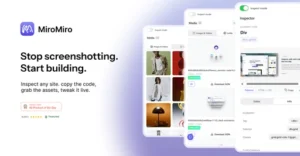
MiroMiro is a browser extension that lets developers and designers extract code, design tokens, and assets directly from any live website. Rather than reverse-engineering layouts from screenshots or digging through browser DevTools, MiroMiro provides a streamlined workflow for pulling clean, reusable code from existing web pages — ready to paste into tools like Cursor, Claude, or v0.
Core Features and How It Works
MiroMiro operates as a Chrome extension that sits on top of any website you visit. Once activated, it offers several extraction capabilities:
- HTML and Tailwind export — Select any element or section on a page and export it as clean HTML with Tailwind CSS classes. This eliminates manual translation from visual designs to code.
- Design token extraction — Pull complete design systems from live sites, including color palettes, font stacks, spacing scales, and typography hierarchies. Useful for replicating or auditing an existing brand's visual language.
- Asset downloads — Grab images, SVGs, and Lottie animations directly from the page without hunting through network requests or inspecting source code.
- Live CSS inspection — Hover over any element to see its computed styles with one-click copying. This works faster than standard browser DevTools for targeted property lookup.
The tool is specifically designed around the workflow of pasting extracted code into AI-assisted development environments. The output is formatted to work well with LLM-based code editors, which sets it apart from generic web inspectors.
Use Cases and Target Audience
MiroMiro addresses a specific pain point: converting visual references into working code. Several scenarios stand out:
- Rapid prototyping — Developers who spot a layout or component they want to replicate can extract it in seconds rather than rebuilding from scratch.
- Design system auditing — Designers can pull tokens from competitor or reference sites to compare spacing, color usage, and typography decisions.
- AI-assisted development — The Tailwind/HTML output is structured for direct use with AI coding tools. Feeding extracted code into Cursor or Claude provides a concrete starting point rather than a vague description.
- Freelancers and agencies — Teams working on redesigns or migrations can document existing sites systematically without manual measurement.
The tool is not a full design-to-code platform like Figma-to-code plugins. It works exclusively with live websites, which makes it complementary rather than competitive with design tool integrations.
Limitations to Consider
MiroMiro works within browser extension constraints, so heavily JavaScript-rendered or shadow DOM-based components may not extract cleanly in every case. The Tailwind output assumes a Tailwind-based workflow — teams using other CSS frameworks would need to adapt the output. Pricing details and plan tiers are available on the official site at miromiro.app, so prospective users should check current terms before committing.
It is worth noting that MiroMiro has no connection to Miro, the collaborative whiteboard platform. Despite the similar name, MiroMiro is strictly a code and design extraction tool for front-end development.
Verdict
MiroMiro fills a practical gap for developers and designers who regularly reference live websites during their build process. Its focus on clean Tailwind/HTML output and compatibility with AI coding assistants makes it a targeted productivity tool rather than a general-purpose inspector. For teams already working with Tailwind and LLM-based editors, it removes friction from a workflow step that previously required manual DevTools work or screenshot-based recreation.
Pricing
Show price history table
| Date | Free | Monthly | Lifetime |
|---|---|---|---|
| Jul 2026 | $0 | $9 | $69 |
Ready to try MiroMiro?
Try MiroMiro for free and see for yourself.
MiroMiro vs. Alternatives
| Feature | MiroMiro | PixelSnap + CSS Scan | Page Fabricator |
|---|---|---|---|
| Tailwind/HTML code export from live sites | ✓ | ○ | ✓ |
| Design token extraction (colors, fonts, spacing) | ✓ | ✓ | ✗ |
| Lottie animation download | ✓ | ✗ | ✗ |
| Image & SVG asset extraction | ✓ | ✗ | ○ |
| Live CSS inspection & one-click copy | ✓ | ✓ | ✗ |
| AI-ready paste (Cursor, Claude, v0) | ✓ | ✗ | ✓ |
| Full page component export | ✓ | ✗ | ✓ |
| Browser extension (no install beyond extension) | ✓ | ✓ | ✓ |
✓ Supported ○ Limited ✗ Not supported
What users say
No posts about 'MiroMiro' were found in the provided content. The single post discusses Chrome Web Store extension nomination procedures.
Based on 1 Reddit threads from r/chrome_extensions.
vs. Alternatives
- vs. browser DevTools: MiroMiro outputs copy-paste Tailwind/HTML instead of raw computed CSS
- vs. Figma inspect: works on live sites without needing a source Figma file
- vs. manual asset download: grabs SVGs, images, and Lottie in one step from the DOM
Frequently Asked Questions
- What does MiroMiro do?
- MiroMiro is a browser extension that extracts code, design tokens, and assets directly from any live website. It lets developers and designers export clean Tailwind or HTML code, copy CSS, download images and Lottie animations, and pull complete design systems — colors, fonts, and spacing — without reverse-engineering screenshots.
- How do I convert a website design to Tailwind CSS with MiroMiro?
- Install the MiroMiro browser extension, open any live website, and use its extraction panel to export the page or selected components as clean Tailwind CSS and HTML. The output is ready to paste directly into editors like Cursor, v0, or Claude without manual cleanup.
- Can MiroMiro extract Lottie animations from websites?
- Yes, MiroMiro can detect and download Lottie animation files embedded in any live website alongside other assets like SVGs and images. This makes it easy to reuse motion assets in your own projects without needing access to the original design source files.
- Is MiroMiro the same as Miro the whiteboard app?
- No, MiroMiro (miromiro.app) is a completely separate product — it is a browser extension for extracting code and design assets from websites. Miro is a visual collaboration and whiteboard platform; the two tools share no relationship and serve entirely different use cases.
- What can developers use MiroMiro for?
- Developers can use MiroMiro to instantly copy HTML and Tailwind components from any live site, inspect and grab CSS values in one click, and extract full design systems including color palettes, typography, and spacing tokens. It is particularly useful when rebuilding or referencing interfaces inside AI coding tools like Cursor or Claude.
