

TubeLab
Average of 1 independent sources · Data updated: 2026-10-21 · How we score →
Show score breakdown
| Source | Rating | Weight |
|---|---|---|
| Product Hunt | 4.5/10 | 100.0 % |
We never award a 10/10 — the composite score is capped at 9.4. A perfect headline rating would not be credible.
Ad link. If you sign up through it, we may earn a commission — your price stays the same. How we earn →
Key facts at a glance
- What it is
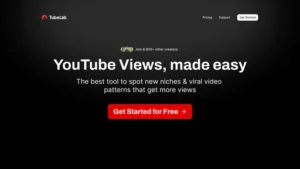
- TubeLab is a YouTube niche research and video tracking platform designed for creators who want to find profitable niches and viral video formats.
- Toolsplorer score
- 4.5/10 (average of 1 independent sources)
- Price tracking
- pricing page recorded in September 2026
- Best for
- Aspiring YouTuber who has tried 3 niches and quit — needs data to pick one worth committing to before filming again
Last updated:
Why this tool?
- Combines niche discovery, video tracking, and ideation in one workflow instead of juggling 3+ separate tools
- Surfaces profitable YouTube niches before they saturate, giving early movers a keyword-timing advantage
- Tracks competitor video performance over time to reverse-engineer what formats actually drive views
- Generates video ideas grounded in real niche data rather than generic brainstorming
When NOT to use?
- You create content exclusively on other platforms. TubeLab is built around YouTube niche research and video tracking — if your focus is TikTok, Instagram Reels, podcasts, or written content, the data and ideation tools here have no practical application for you.
- You already run a well-established channel with a loyal audience. Niche discovery and viral format research matter most when you are starting out or pivoting. If your channel already has a proven content strategy and consistent growth, TubeLab solves a problem you no longer have.
- You need a one-time answer, not an ongoing research workflow. TubeLab is subscription-based tooling designed for continuous use. If you just want to validate one video idea, the cost-per-insight is hard to justify compared to free YouTube search data or a single keyword lookup elsewhere.
- You are looking for video production or editing tools. TubeLab covers research, tracking, and ideation — it produces no thumbnails, edits no footage, and handles no scheduling. Expecting post-production or publishing features will lead to disappointment.
- Your target audience operates in a small or highly regional niche. Niche research platforms rely on volume data to surface patterns and trends. Very local markets or niche communities with low YouTube search volume may return too little data for TubeLab to give you actionable signals.
TubeLab is a YouTube niche research and video tracking platform designed for creators who want to find profitable niches and viral video formats. It combines niche discovery, video performance tracking, and content ideation into a single SaaS tool, making it particularly useful for data-driven YouTube creators, agencies, and anyone looking to validate a channel idea before investing time in production. TubeLab stands out by focusing specifically on niche-level analysis rather than broad keyword research.
Key Features and Use Cases
- Niche Research Engine: TubeLab lets users explore YouTube niches by analyzing view counts, competition density, and growth trends — helping creators identify underserved topics with high demand before launching a channel or pivoting content strategy.
- Video Tracking: Users can monitor specific videos and channels over time to spot viral patterns, track view velocity, and understand what formats (shorts, long-form, tutorials) perform in a given niche.
- Content Ideation: The platform surfaces video ideas and formats that are gaining traction, reducing the guesswork typically involved in brainstorming content calendars.
- Competitor Analysis: Creators can study what works for competing channels — from upload frequency to thumbnail patterns — and use those insights to refine their own approach.
Pricing and Plans
TubeLab operates on a subscription model. Pricing details and plan tiers are available on tubelab.net. The tool is positioned as a premium research platform rather than a free browser extension, which reflects the depth of data it provides. Prospective users should check the official site for current pricing, as SaaS tools in this space frequently adjust their plans.
Who Should Consider TubeLab
- New YouTube creators validating niche ideas before committing to a channel direction.
- Established creators looking to expand into adjacent niches or optimize their content mix based on performance data.
- YouTube agencies and consultants managing multiple channels who need a systematic way to research opportunities for clients.
- Faceless channel operators who rely heavily on niche selection and format replication to scale output.
TubeLab Alternatives
Competing tools include vidIQ and TubeBuddy, which offer broader YouTube SEO features like tag suggestions and real-time stats overlays but are less focused on niche-level research. Niche Finder tools and general keyword research platforms like Ahrefs (YouTube keyword explorer) can supplement but do not replicate TubeLab's niche-first workflow.
Bottom Line
TubeLab fills a specific gap in the YouTube creator toolchain: structured, data-backed niche research. It is not a general-purpose SEO tool or a video editor — it is purpose-built for the research phase of YouTube strategy. Creators who treat YouTube as a business rather than a hobby are the most likely to see a return on the subscription cost.
Pricing
Show price history table
| Date | Starter | Pro | Team |
|---|---|---|---|
| Sep 2026 | Custom | Custom | Custom |
We check this pricing page every month and verify every apparent change against the Internet Archive. See how 227 tools moved in the SaaS Pricing Index →
Ready to try TubeLab?
Try TubeLab for free and see for yourself.
Ad link. If you sign up through it, we may earn a commission — your price stays the same. How we earn →
TubeLab vs. Alternatives
| Feature | TubeLab | vidIQ | TubeBuddy |
|---|---|---|---|
| YouTube Niche Research | ✓ | ○ | ○ |
| Viral Video Format Detection | ✓ | ✗ | ✗ |
| Video Idea Generation | ✓ | ✓ | ✓ |
| Keyword Research & SEO | ○ | ✓ | ✓ |
| Channel Analytics Dashboard | ✗ | ✓ | ✓ |
| Competitor Video Tracking | ✓ | ✓ | ○ |
| Browser Extension | ✗ | ✓ | ✓ |
| Thumbnail A/B Testing | ✗ | ✓ | ✓ |
✓ Supported ○ Limited ✗ Not supported
vs. Alternatives
- vs. vidIQ: TubeLab focuses on niche discovery and profitability scoring, not just SEO tagging on existing content
- vs. TubeBuddy: TubeBuddy optimizes live videos; TubeLab answers 'what should I even make?' before filming
- vs. manual Google Trends research: Automates multi-signal niche vetting that would take hours per week to replicate manually
Frequently Asked Questions
- how much does TubeLab cost per month
- TubeLab offers tiered subscription plans starting at a low monthly price aimed at independent creators, with higher tiers unlocking more tracked channels and deeper data. Exact pricing is listed on tubelab.net and varies by billing cycle, with annual plans typically offering a discount over monthly billing.
- does TubeLab have a free plan or free trial
- TubeLab offers a free trial so creators can test niche research and video tracking features before committing to a paid plan. There is no permanent free tier with full feature access; the trial is time-limited and designed to let users validate a niche or format idea before upgrading.
- what is TubeLab best used for
- TubeLab is best used by YouTube creators who want to identify profitable, low-competition niches before investing time in a new channel or content series. It is particularly valuable for faceless-channel operators, niche-site builders pivoting to video, and growth-focused creators who want data-driven video ideation rather than guesswork.
- how does TubeLab compare to vidIQ and TubeBuddy
- TubeLab focuses specifically on niche discovery and viral format research rather than optimizing existing channel performance, which is the core strength of vidIQ and TubeBuddy. Unlike those tools, TubeLab is built for the pre-launch research phase — finding a winning niche before you upload — while vidIQ and TubeBuddy excel at keyword tagging, thumbnail A/B testing, and competitor analytics for live channels.
- what integrations does TubeLab support
- TubeLab works directly with YouTube data via the YouTube API and does not require additional third-party integrations to function — research, tracking, and ideation all happen within the platform. It is a standalone web app, so there are no native integrations with tools like Zapier, Notion, or Google Sheets out of the box.
- how many YouTube channels can you track with TubeLab
- The number of channels you can track depends on your subscription tier, with entry-level plans covering a limited number of tracked channels and higher plans unlocking significantly more. Creators tracking large portfolios or multiple niche candidates will need a higher-tier plan to monitor all channels simultaneously.
- is TubeLab worth it for beginner YouTubers
- TubeLab is worth it for beginners who are still in the niche-selection phase, as it reduces the risk of launching a channel in an oversaturated or unprofitable topic area. The research data it provides — on view velocity, format virality, and niche gaps — can save months of trial-and-error that beginners would otherwise spend learning through failed uploads.
