

Windframe
Average of 1 independent sources · Data updated: 2026-10-07 · How we score →
Show score breakdown
| Source | Rating | Weight |
|---|---|---|
| Product Hunt | 7.2/10 | 100.0 % |
We never award a 10/10 — the composite score is capped at 9.4. A perfect headline rating would not be credible.
Ad link. If you sign up through it, we may earn a commission — your price stays the same. How we earn →
Key facts at a glance
- What it is
- Windframe is an AI-powered visual builder for Tailwind CSS that lets developers and designers create websites, landing pages, and UI components without writing utility classes by…
- Toolsplorer score
- 7.2/10 (average of 1 independent sources)
- Pricing
- from $12.50/month
- Best for
- Freelance web developer who knows Tailwind but loses time composing layouts from scratch for every client project
Last updated:
Why this tool?
- Visual drag-and-drop editor that outputs clean Tailwind CSS code, no manual class memorization needed
- 1000+ pre-built Tailwind template blocks searchable and composable in one canvas
- AI generates Tailwind components from text prompts, cutting cold-start time to near zero
- Real-time Tailwind class preview lets developers audit and copy exact markup before export
When NOT to use?
- Your project does not use Tailwind CSS. Windframe is built entirely around Tailwind utility classes, so teams working with Bootstrap, Bulma, custom CSS, or CSS-in-JS solutions will not benefit from its output and may need to rewrite generated code entirely.
- You need a production-ready component library tied to a specific framework. Windframe produces static HTML with Tailwind classes; if your team builds in React, Vue, or Svelte and needs typed, reusable components that integrate cleanly into a design system, the export workflow adds significant manual overhead.
- Your design requirements go well beyond template customization. The tool shines when adapting existing blocks, but highly bespoke layouts, complex SVG illustrations, or advanced CSS animations typically still require manual coding and cannot be expressed through the visual editor alone.
- You are working in a team with strict version-controlled design tokens. Windframe does not natively sync with tools like Figma Tokens or Style Dictionary, so maintaining consistency between the visual builder and a centralized design token system requires manual reconciliation that can erode over time.
- You need deep CMS or backend integration out of the box. Windframe is a front-end prototyping and page-building tool; it does not connect to headless CMSs, databases, or auth systems, meaning developers still have to wire up all dynamic functionality separately after exporting.
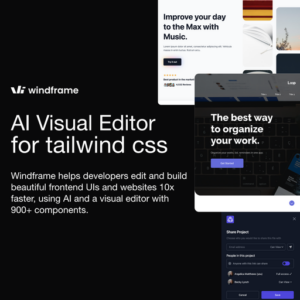
Windframe is an AI-powered visual builder for Tailwind CSS that lets developers and designers create websites, landing pages, and UI components without writing utility classes by hand. It targets front-end developers, startup teams, and freelancers who want to accelerate Tailwind-based projects with drag-and-drop editing and a library of over 1,000 pre-built template blocks. The tool runs in the browser at windframe.dev and exports clean Tailwind CSS markup ready for production use.
Key Features and How It Works
Windframe combines a visual page builder with AI-assisted generation, sitting between a full no-code platform and a traditional code editor. Its core value proposition is speed: pick a template block, customize it visually, and export the HTML with Tailwind classes.
- 1,000+ template blocks — pre-designed sections covering heroes, pricing tables, feature grids, footers, navbars, testimonials, and CTAs. Blocks are categorized for quick browsing.
- Visual drag-and-drop editor — adjust spacing, colors, typography, and layout without touching code. Changes reflect in real time with accurate Tailwind class output.
- AI page generation — describe a page or section in natural language and Windframe generates a Tailwind layout as a starting point, which you can then refine visually.
- Clean code export — outputs standard HTML with Tailwind CSS utility classes. No proprietary runtime or JavaScript dependency required in the final build.
- Responsive preview — toggle between breakpoints to adjust mobile, tablet, and desktop layouts within the editor.
Pricing and Plans
Windframe operates on a freemium model. A free tier allows limited access to templates and basic editing. Paid plans unlock the full template library, AI features, and priority support. Pricing has historically started around $29 for a one-time personal license, with team and lifetime options available — check windframe.dev for current plan details, as pricing may have changed.
Who Should Use Windframe
- Tailwind CSS developers who want to prototype layouts faster without manually composing dozens of utility classes for common patterns.
- Freelancers and agencies building client landing pages on tight timelines — the template library serves as a rapid starting point.
- Developers new to Tailwind who benefit from seeing how visual changes map to specific utility classes, effectively learning Tailwind by using it visually.
Windframe is less suited for complex web applications with heavy state management or custom component logic — it focuses on static page structure and presentational markup rather than full-stack application development.
Windframe vs. Alternatives
Compared to Shuffle.dev and Tailwind UI, Windframe differentiates through its visual editing layer and AI generation. Tailwind UI is a copy-paste component library without a visual editor, while Shuffle.dev offers a similar builder approach but with a different template selection and pricing model. Webflow is a more comprehensive (and more expensive) no-code platform that does not output Tailwind classes. For teams committed to Tailwind CSS who want a middle ground between writing classes by hand and using a full no-code tool, Windframe fills a practical niche.
Windframe is a focused, efficient tool for anyone building Tailwind CSS websites who values visual editing speed over hand-coding every utility class. Its template depth and AI generation make it a practical time-saver for landing pages, marketing sites, and rapid prototyping.
Pricing
Show price history table
| Date | Pro Monthly | Pro Quarterly | Pro Annual | Lifetime Pro | Lifetime Team | MCP Monthly | MCP Yearly |
|---|---|---|---|---|---|---|---|
| Sep 2026 | $25 | $17 | $16 | Custom | Custom | $15 | $13 |
| Oct 2026 | $25 | $17 | $16 | $299 | $1,199 | $15 | $13 |
We check this pricing page every month and verify every apparent change against the Internet Archive. See how 227 tools moved in the SaaS Pricing Index →
Ready to try Windframe?
Try Windframe for free and see for yourself.
Ad link. If you sign up through it, we may earn a commission — your price stays the same. How we earn →
Windframe vs. Alternatives
| Feature | Windframe | Shuffle.dev | Tailblocks |
|---|---|---|---|
| Visual Drag & Drop Builder | ✓ | ✓ | ✗ |
| Tailwind CSS Code Export | ✓ | ✓ | ✓ |
| Pre-built Template Blocks (1000+) | ✓ | ✓ | ○ |
| AI-Powered Layout Generation | ✓ | ✗ | ✗ |
| Live Preview & Responsive Testing | ✓ | ✓ | ✗ |
| Multi-Framework Export (React, Vue, HTML) | ✓ | ✓ | ✗ |
| Custom Component Editing | ✓ | ✓ | ○ |
✓ Supported ○ Limited ✗ Not supported
vs. Alternatives
- vs. Tailwind UI: Windframe is interactive and visual; Tailwind UI is static copy-paste with no canvas editor
- vs. Webflow: Windframe exports portable Tailwind HTML you own; Webflow locks output to its own hosting platform
- vs. writing Tailwind by hand: Windframe reduces layout time from hours to minutes via composable 1000+ blocks
- vs. shadcn/ui: Windframe targets full-page composition visually; shadcn/ui is a component library for React codebases
- vs. Builder.io: Windframe is Tailwind-native with direct class control; Builder.io abstracts CSS behind its own design tokens
Frequently Asked Questions
- How much does Windframe cost?
- Windframe offers both a free plan and paid Pro plans starting at around $15 per month (billed annually). A lifetime deal option has also been available, making it a one-time purchase for developers who prefer not to pay recurring fees.
- Does Windframe have a free plan or free trial?
- Yes, Windframe has a permanently free tier that gives access to a limited set of Tailwind CSS template blocks and basic builder features without requiring a credit card. The free plan is sufficient for small experiments, but export options and access to the full 1,000+ block library are gated behind a paid subscription.
- What is the best alternative to Windframe for building Tailwind CSS UIs?
- The closest alternatives to Windframe are Shuffle.dev and Tailwind UI — Shuffle.dev is similarly block-based and visual, while Tailwind UI offers hand-crafted components from the Tailwind CSS team but requires manual copy-paste rather than a drag-and-drop builder. Windframe stands out by combining AI-powered generation with a live visual editor in one tool.
- Who is Windframe best suited for?
- Windframe is best suited for front-end developers and designers who work with Tailwind CSS and want to prototype or build production-ready pages faster than writing utility classes by hand. It is particularly valuable for freelancers and small agencies who need to ship landing pages and marketing sites quickly without a dedicated design system.
- Does Windframe integrate with React, Next.js, or Vue?
- Windframe exports clean HTML with Tailwind CSS utility classes that can be dropped directly into any component-based framework including React, Next.js, Vue, and plain HTML projects. The output is framework-agnostic, so developers copy the generated markup and adapt it to their component structure rather than using a dedicated plugin.
- How many templates and blocks does Windframe include?
- Windframe includes over 1,000 pre-built Tailwind CSS template blocks covering sections like heroes, features, pricing tables, testimonials, and footers. The library is continuously expanded, and the AI builder can also generate new custom blocks based on text prompts.
- Is Windframe worth it for Tailwind CSS projects?
- Windframe is worth it if you regularly build Tailwind CSS interfaces and value speed over manual utility-class writing — the visual editor and block library can cut initial page-build time significantly. For developers who only occasionally use Tailwind or who prefer full code control, the free tier or a one-time lifetime plan offers good value without committing to a monthly subscription.
