
Big Biller is a recruitment applicant tracking system (ATS) and CRM platform built specifically for staffing agencies and executive search firms. It is not bill-payment software, despite what the name might suggest. Small business owners and freelancers reading big biller reviews often land on the wrong product category entirely. This article cuts through that confusion, covers real user feedback, breaks down the full cost of ownership, and tells you exactly what to expect before you commit.
What do big biller reviews say about its core features?
Big Biller combines ATS and CRM functions into a single platform designed for staffing and executive search firms. That combination is its defining strength. Most standalone ATS tools track candidates. Most standalone CRMs track client relationships. Big Biller does both, which removes the need to juggle two separate systems.
The platform’s key capabilities include:
- Applicant tracking: Pipeline management from sourcing through placement, with visual status boards for each candidate
- CRM for client management: Contact records, activity logs, and relationship history for hiring managers and client companies
- AI candidate matching: Automated scoring that surfaces the best-fit candidates from your database based on job requirements
- Resume parsing: Automatic extraction of candidate data from uploaded resumes into structured profile fields
- Email marketing: Built-in outreach tools for nurturing candidate and client relationships without a third-party email platform
- Reporting and analytics: Dashboards covering placement rates, pipeline velocity, and recruiter activity
- Integrations: Connections with job boards, LinkedIn, and calendar tools to reduce manual data entry
The AI candidate matching feature stands out because it includes predictive analytics and automated compliance checks. That goes beyond simple keyword matching. Customization options add flexibility, but they also add implementation complexity. A small team without a dedicated IT resource should budget extra time for setup.
Pro Tip: Before requesting a demo, map out your current recruitment workflow on paper. Knowing exactly where your process breaks down helps you ask the right questions and evaluate whether Big Biller’s customization options actually solve your specific problem.

How is Big Biller priced, and what does it really cost?
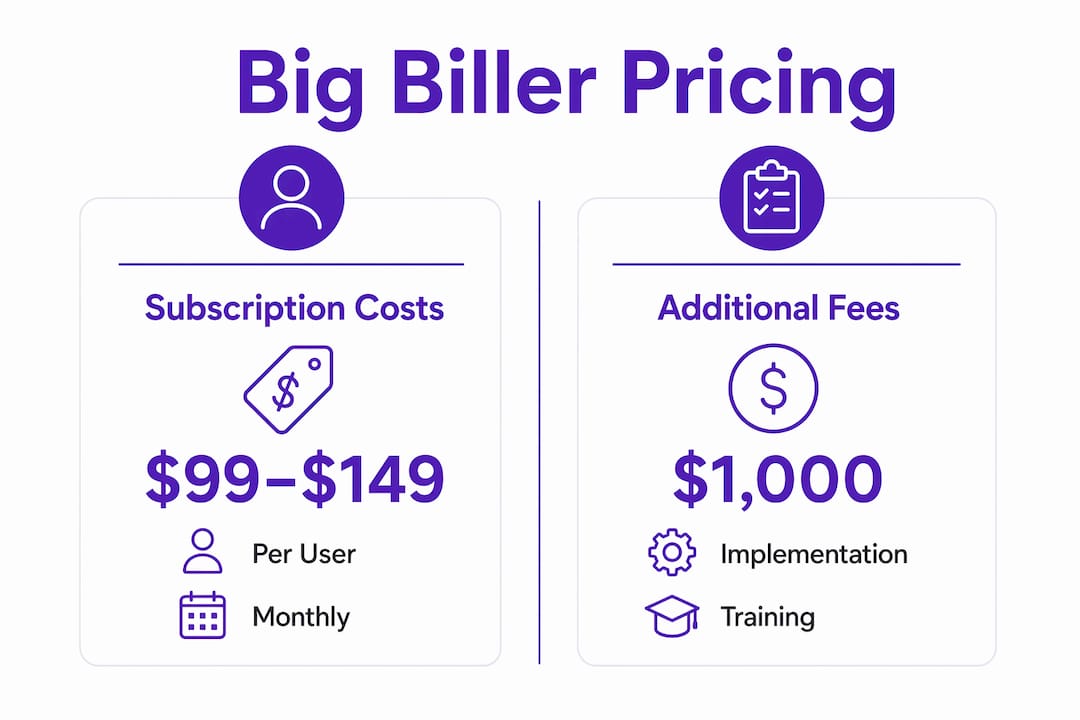
Big Biller’s subscription pricing runs from $99 to $149 per user per month when billed annually. A 10-user team pays between $990 and $1,490 per month. That number looks manageable until you add the costs most buyers overlook.
| Cost Category | Typical Range |
|---|---|
| Monthly subscription (per user) | $99–$149 |
| Implementation | $1,000–$5,000 |
| Customization | $500–$5,000 |
| Training | $500–$2,000 |
| Data migration | $1,000–$10,000 |
| 5-year TCO (10 users) | ~$71,400 |
The 5-year total cost of ownership for a 10-user deployment reaches approximately $71,400 when implementation, training, and data migration are included. That figure reframes the monthly subscription as only part of the real investment. For a solo freelancer or a two-person agency, the math changes significantly. Smaller teams pay lower subscription totals, but the one-time setup costs remain largely fixed.
Data migration is the line item that surprises buyers most. Moving candidate records, client contacts, and historical placement data from a legacy system can cost up to $10,000 depending on volume and format. Skipping migration is not realistic for established firms with years of relationship data.
Pro Tip: Request an itemized quote that separates subscription fees from implementation and training costs. Vendors often present a monthly number that excludes setup. Getting the full picture upfront prevents budget shock after you have already signed.
What do real users say about Big Biller’s performance?
Big Biller holds a 4.6 out of 5 stars rating on major platforms including G2 and Capterra. That score reflects consistent satisfaction among recruitment professionals who use it daily. It ranked 41st among 126 recruitment systems in early 2026, which places it firmly in the upper tier of the category.
User feedback clusters around a few consistent themes:
- Support quality: Users rate the support team as quick to respond and genuinely helpful. This matters more than it sounds for a platform with a steep learning curve.
- Learning curve: The feature set is extensive, and new users report that tutorials do not always keep pace with the depth of the platform. Expect a real onboarding period, not a same-day setup.
- Minor bugs: Some users note occasional software bugs, particularly in reporting modules. None appear to be deal-breakers, but they do create friction.
- Ease of use for non-technical users: Recruiters without a technology background find the interface manageable once trained, but the initial setup phase requires patience.
- AI matching accuracy: Positive feedback on candidate matching speed, though users note that AI recommendations still require human review before acting on them.
The 4.6-star average is credible because it comes from verified users on platforms that require account authentication to submit reviews. A high score on those platforms carries more weight than anonymous testimonials on a vendor’s own website.
Common misconceptions about Big Biller and recruitment software
Big Biller is a recruitment ATS and CRM. It does not process invoices, manage accounts payable, or handle client billing in the financial sense. Users frequently confuse Big Biller with bill-payment software because the word “biller” appears in the name. That confusion wastes research time and leads to misaligned expectations.
Here is how to avoid the most common mistakes before you buy:
- Confirm the software category first. Search for “Big Biller ATS” or “Big Biller recruitment CRM” rather than just “Big Biller.” The category label tells you immediately whether the product solves your problem.
- Read reviews on recruitment-specific platforms. G2 and Capterra both allow filtering by industry. Reviews from staffing professionals are far more relevant than general software reviews.
- Check the vendor’s stated use case. Big Biller’s own website and product documentation describe it as recruitment software. If a vendor page mentions invoicing or payment processing as primary features, you are looking at a different product.
- Verify integrations match your workflow. Recruitment ATS tools integrate with job boards and LinkedIn. Financial billing tools integrate with accounting software like QuickBooks. The integration list tells you which category a product belongs to.
- Ask the sales team directly. A one-sentence question, “Does this software handle candidate tracking and client relationship management for staffing firms?” will confirm or eliminate the product in under a minute.
Confirming software purpose before researching deeply is the single most efficient step a buyer can take. Spending two hours reading reviews for the wrong product category is a common and entirely avoidable mistake.
How can small businesses implement Big Biller effectively?
Big Biller does not offer instant free trials. The onboarding process requires a formal application and approval before access is granted. That vetting step is intentional. It means you will not be setting up the platform on a Tuesday afternoon after a five-minute signup. Plan your evaluation timeline accordingly.
Practical steps for a successful implementation:
- Submit the application early. The approval process adds days or weeks to your start date. Factor that into your go-live plan.
- Assign an internal owner. One person on your team should own the configuration, training coordination, and ongoing administration. Without a clear owner, customization decisions stall.
- Use the training resources fully. Big Biller offers training sessions as part of onboarding. Users who skip or rush training report the steepest learning curves later.
- Start with core features. Activate applicant tracking and CRM first. Add email marketing and advanced reporting after your team is comfortable with the basics.
- Manage AI recommendations with human oversight. The AI matching feature reduces time-to-hire significantly, but automated scoring can reflect bias present in historical data. A human recruiter should review every AI-generated shortlist before acting on it.
Pro Tip: Run a parallel process for the first 30 days. Keep your existing workflow running alongside Big Biller while your team learns the platform. Switching cold to a new system mid-search is a fast way to lose candidates and frustrate clients.
Key Takeaways
Big Biller is a recruitment-specific ATS and CRM with strong user ratings, meaningful AI features, and a total cost of ownership that extends well beyond the monthly subscription price.
| Point | Details |
|---|---|
| Software category clarity | Big Biller is a recruitment ATS and CRM, not financial billing software. |
| Pricing reality | Subscription costs run $99–$149 per user monthly, but setup and migration can add $10,000 or more. |
| User satisfaction | A 4.6-star rating on G2 and Capterra reflects strong but not perfect satisfaction among recruiters. |
| AI features require oversight | AI candidate matching cuts time-to-hire, but human review of every shortlist is non-negotiable. |
| Implementation timeline | The formal approval process means you cannot start using Big Biller the same day you decide to buy. |
Toolsplorer’s take on Big Biller for small businesses
Big Biller earns its reputation among staffing firms that run high-volume recruitment. The combined ATS and CRM architecture genuinely reduces tool sprawl, and a 4.6-star rating across verified review platforms is not easy to fake. For a firm placing 20 or more candidates per month, the platform pays for itself quickly.
The concern I have for small business owners and freelancers is the cost structure. The monthly subscription is only the beginning. A solo recruiter or a two-person agency can easily spend $15,000 in the first year once implementation, training, and data migration are included. That is a serious commitment for a business that might generate $80,000 in annual placement fees.
The AI matching feature is genuinely useful, but it requires active management. Automated scoring trained on historical placements can quietly reinforce past hiring patterns. You need a recruiter who understands that limitation and checks every recommendation critically. Treating AI output as a final answer rather than a starting point is where small teams get into trouble.
My honest recommendation: if you are placing candidates regularly and need a system that scales with your firm, Big Biller is worth a serious look. If you are a freelancer doing occasional contract placements, the cost and complexity will likely outweigh the benefit. Use a software comparison platform to evaluate lighter-weight alternatives before committing to an enterprise-grade system.
— Toolsplorer
Finding the right recruitment tool for your workflow
Choosing between recruitment platforms gets complicated fast when pricing is opaque and feature lists all look the same.
Toolsplorer cuts through that noise with AI-driven scoring that aggregates verified reviews from G2, Capterra, and other trusted sources into a single, clear verdict. You can browse the full directory to compare recruitment software, CRM tools, and productivity platforms side by side. Whether you need a full ATS like Big Biller or a lighter tool for occasional hiring, Toolsplorer gives you the data to decide with confidence. No vendor spin. No guesswork. Just clear, sourced analysis built for professionals who need the right answer fast.
FAQ
What type of software is Big Biller?
Big Biller is a recruitment applicant tracking system (ATS) and CRM platform. It is designed for staffing agencies and executive search firms, not for financial billing or invoice management.
How much does Big Biller cost per month?
Big Biller pricing runs from $99 to $149 per user per month when billed annually. Additional costs for implementation, training, and data migration can add thousands of dollars to the first-year total.
What is Big Biller’s average user rating?
Big Biller holds a 4.6 out of 5 stars rating on major platforms including G2 and Capterra. Users consistently praise support quality while noting a steep learning curve for new users.
Does Big Biller offer a free trial?
Big Biller does not offer an instant free trial. Access requires a formal application and approval process, which adds time to the evaluation and onboarding timeline.
How does Big Biller’s AI candidate matching work?
Big Biller uses AI to score and rank candidates from your database against open job requirements. The feature includes predictive analytics and automated compliance checks, but human review of every shortlist remains necessary to avoid bias.