

TL;DR:
- The best Snowflake alternatives depend on your cloud platform and workload, such as Databricks for ML, BigQuery for serverless SQL, or ClickHouse for high-volume event analysis. Running a targeted proof of concept on your primary queries can help assess cost, performance, and migration effort before making a commitment. Architectural fit and workload needs should drive platform choice over feature checklists alone.
The fastest way to shortlist Snowflake alternatives is to match your cloud footprint, primary workload, and team skills to one of five platforms worth evaluating first: Databricks for ML-heavy lakehouses, Google BigQuery for serverless SQL analytics on GCP, Amazon Redshift for AWS-native teams, ClickHouse for sub-second event analytics, and Microsoft Fabric for organizations standardized on the Microsoft stack. Each satisfies a distinct architectural need that Snowflake’s virtual warehouse model either overprices or underserves.
- Cloud-locked, SQL-analytics teams: BigQuery (GCP), Redshift (AWS), or Fabric (Azure) cut infrastructure overhead and fit existing IAM and billing structures.
- ML and data engineering teams: Databricks’ open lakehouse on Delta Lake and Apache Spark handles large-scale transformations and notebook-driven workflows that Snowflake’s warehouse model was not designed for.
- High-volume event or telemetry workloads: ClickHouse delivers millisecond aggregations at a fraction of the cost of a general-purpose cloud data warehouse.
TL;DR: If you are on AWS, start a Redshift Serverless proof-of-concept this week. If ML pipelines are your primary workload, Databricks is the PoC to run first. For event analytics at scale, ClickHouse Cloud is worth a trial period before committing to anything else.
The Gartner Peer Insights alternatives list groups evaluation criteria into four categories: integration and deployment, service and support, product capabilities, and contracting. SOC 2 Type II certification and MPP architecture are two of the most commonly cited gating signals in enterprise evaluations.
Table of Contents
- What are the top Snowflake alternatives at a glance?
- Per-platform profiles: what each alternative actually delivers
- How does architecture change which platform fits your workload?
- How do pricing models differ, and what does TCO actually look like?
- What performance axes should you test in a PoC?
- How do you plan a realistic migration without full cutover risk?
- What security and compliance signals should you verify before committing?
- How do you build a selection checklist and run a 4–8 week PoC?
- How Toolsplorer selected and evaluated these alternatives
- Key Takeaways
- The architecture shift that most teams underestimate
- Toolsplorer helps you compare data platforms without the vendor noise
- Useful sources and further reading
- FAQ
What are the top Snowflake alternatives at a glance?
The table below covers the platforms that appear most frequently in enterprise evaluations, organized by architecture model and the workload each handles best. Use it to eliminate options quickly before reading the per-platform profiles.
| Platform | Architecture | Best For | Pricing Model | Multi-Cloud | SQL Compatibility | Managed / Self-Hosted |
|---|---|---|---|---|---|---|
| Databricks | Lakehouse (Delta Lake + Spark) | ML pipelines, data engineering | DBU consumption | Yes (AWS, GCP, Azure) | High (SparkSQL + ANSI) | Managed |
| Google BigQuery | Serverless warehouse | GCP-native SQL analytics | Pay-per-query or flat-rate | GCP only | High (ANSI SQL) | Managed |
| Amazon Redshift | Cloud MPP warehouse | AWS-native analytics | Provisioned or serverless | AWS only | High (PostgreSQL-based) | Managed |
| Microsoft Fabric / Synapse | Unified lakehouse + warehouse | Microsoft stack, Power BI | Capacity units | Azure only | High (T-SQL) | Managed |
| ClickHouse / ClickHouse Cloud | Columnar OLAP | Event/telemetry analytics | Compute + storage | Yes (Cloud) | Medium (ClickHouse SQL) | Both |
| Teradata Vantage | Enterprise MPP | High-concurrency SLA workloads | Reserved + consumption | Yes | High (ANSI SQL) | Both |
| Oracle Autonomous DB / Oracle AI DB | Autonomous cloud DB | Oracle-ecosystem enterprises | OCPU-based | OCI primary | High (Oracle SQL) | Managed |
| IBM Db2 Warehouse | Enterprise MPP | Regulated IBM environments | License + cloud | IBM Cloud | High (IBM SQL) | Both |
| Dremio | Data virtualization / lakehouse | SQL over data lakes | Subscription | Yes | High (ANSI SQL) | Both |
| Firebolt | Cloud-native OLAP | Fast ad-hoc analytics | Compute credits | AWS, GCP | High (ANSI SQL) | Managed |
| SingleStore | Distributed SQL | Operational + analytical (HTAP) | Workspace credits | Yes | High (MySQL-compatible) | Both |
| StarRocks | Distributed OLAP | Real-time BI, fast aggregations | Open-source / cloud | Yes | High (MySQL-compatible) | Both |
| Apache Druid / Imply | Real-time OLAP | Streaming ingestion, dashboards | Open-source / managed | Yes | Medium (Druid SQL) | Both |
| Rockset | Real-time indexing engine | Search + real-time analytics APIs | Compute + storage | AWS | High (ANSI SQL) | Managed |
| PostgreSQL + Citus | Relational + columnar extensions | Low-cost, familiar SQL tooling | Open-source / cloud | Yes | High (ANSI SQL) | Both |
| MotherDuck | Lightweight SQL analytics | Startups, embedded analytics | Consumption-based | Cloud-agnostic | High (DuckDB SQL) | Managed |
| Oracle MySQL HeatWave | MySQL OLAP acceleration | MySQL-centric analytics | OCPU-based | OCI primary | High (MySQL SQL) | Managed |
| MongoDB Atlas | Document database + analytics | Semi-structured / document data | Consumption-based | Yes | Medium (MQL + SQL) | Managed |
| Cloudera Data Platform | Hybrid data platform | On-prem or hybrid enterprise | Subscription | Hybrid / on-prem | High (Hive, Impala) | Both |
Per-platform profiles: what each alternative actually delivers
Flexera’s roundup of 16 Snowflake competitors segments alternatives into cloud-native warehouses, lakehouse platforms, and specialized engines. That three-tier framing is the most useful mental model for what follows.
Databricks
Databricks is the clearest architectural contrast to Snowflake. Where Snowflake is a managed SQL warehouse, Databricks is an open lakehouse built on Delta Lake and Apache Spark, designed for teams that write code as much as they write SQL.
- Cons: — Higher operational complexity than Snowflake; DBU pricing can be hard to predict; SQL-only analysts face a steeper learning curve.
Google BigQuery
BigQuery’s serverless model means you pay for bytes scanned, not for idle compute. That makes it genuinely cost-effective for spiky or unpredictable workloads, and it eliminates the warehouse-sizing decisions that consume engineering time on Snowflake.
- Migration note: — BigQuery Migration Service handles SQL translation from Snowflake SQL; connector coverage via Fivetran and Datastream is strong.
Amazon Redshift
Redshift is the default choice for AWS-native organizations, not because it is the fastest warehouse on the market, but because its integration with S3, Glue, Lake Formation, and IAM removes an entire category of plumbing work.
- Cons: — Performance tuning (sort keys, distribution styles) requires DBA expertise; less competitive on raw concurrency vs. Snowflake’s multi-cluster model.
Microsoft Fabric and Azure Synapse Analytics
Microsoft Fabric is the more forward-looking bet here. It unifies OneLake storage, Spark-based data engineering, a SQL warehouse (Synapse), and Power BI into a single workspace. For organizations already paying for Microsoft 365 and Azure, the licensing math often works out favorably.
- Migration note: — Synapse SQL is T-SQL compatible; most Snowflake SQL migrates with moderate effort. Power BI dependency mapping is the most time-consuming step.
ClickHouse and ClickHouse Cloud
ClickHouse is the platform that consistently surprises teams when they first benchmark it. Sub-second aggregations on billions of rows are routine, not exceptional. The Improvado comparison flags ClickHouse as one of the fastest-growing cost-effective options for event and telemetry workloads.
- Migration note: — SQL dialect differences require query rewrites; no native Snowflake migration tooling, so expect manual effort for complex pipelines.
Teradata Vantage
Teradata is not a new-entrant story. It is the platform enterprises choose when they need guaranteed SLA performance at high concurrency and already have a Teradata estate to protect. The MPP architecture and workload management features are genuinely mature.
- Migration note: — Teradata-to-Snowflake migrations are well-documented in reverse; moving from Snowflake to Teradata is less common and requires careful workload profiling.
Oracle Autonomous Database and Oracle AI Database
Oracle’s autonomous database handles routine DBA tasks (patching, tuning, scaling) without human intervention. For organizations already running Oracle ERP or APEX, keeping analytics in Oracle Cloud Infrastructure avoids a cross-vendor data movement problem.
- Migration note: — Oracle SQL dialect differences from Snowflake SQL are significant; plan for a dedicated SQL compatibility review.
IBM Db2 Warehouse
IBM Db2 Warehouse is the right answer for a narrow audience: regulated industries (banking, insurance, healthcare) that are already operating on IBM Cloud or IBM infrastructure and need in-memory processing with compliance-focused features.
- Migration note: — SQL compatibility with Snowflake is moderate; IBM provides migration tooling for Db2 family migrations.
Firebolt
Firebolt targets analytic workloads that need fast ad-hoc SQL without the operational overhead of a self-managed cluster. Its engine optimizations (sparse indexes, compressed columnar storage) are specifically designed for analytical query patterns.
- Migration note: — Standard SQL compatibility makes migration from Snowflake relatively low-friction.
SingleStore
SingleStore runs OLTP and OLAP on the same engine, which eliminates the need for a separate operational database and a separate analytics warehouse. That is genuinely useful for applications where transactional writes and analytical reads happen simultaneously.
- Migration note: — MySQL compatibility simplifies connector setup; Snowflake SQL functions need translation.
Apache Druid and Imply
Apache Druid is built for one thing: ingesting high-velocity event streams and serving sub-second queries on them. Imply is the managed commercial distribution. For operational dashboards on IoT, clickstream, or log data, nothing in this list matches Druid’s ingestion throughput.
- Migration note: — Druid’s data model (time-partitioned segments) is fundamentally different from Snowflake’s; expect a significant data modeling rework.
Rockset
Rockset indexes incoming data in real time, making it queryable within seconds of arrival. It is the right tool for API-driven analytics where the data changes constantly and query latency must stay under 100ms.
- Migration note: — Rockset’s data model differs significantly from Snowflake; best treated as a net-new deployment rather than a migration target.
PostgreSQL with Citus
PostgreSQL is the familiar choice. With the Citus extension, it distributes tables across nodes for analytical scale. For teams that want to avoid vendor lock-in entirely and have the engineering capacity to manage infrastructure, this is a credible option.
- Migration note: — Snowflake SQL to PostgreSQL translation is well-supported by tools like pgloader and AWS SCT.
MotherDuck
MotherDuck is DuckDB in the cloud, which means it is fast, SQL-native, and designed for smaller-footprint analytics. It is the right choice for startups, embedded analytics, or data teams that do not need a full enterprise warehouse.
- Pros: — Extremely low cost; DuckDB’s columnar engine is fast for its size class; simple setup; good for embedded analytics in applications.
- Migration note: — Standard SQL compatibility; migration from Snowflake is straightforward for teams with modest data volumes.
MongoDB Atlas
MongoDB Atlas is the right answer when the data is document-first: JSON-heavy, schema-flexible, and written by application teams. Its analytics capabilities have grown, but it is not a replacement for a columnar warehouse on structured data.
- Migration note: — Only relevant when the source data is document-oriented; not a general Snowflake replacement.
Cloudera Data Platform
Cloudera is the choice for enterprises that cannot move fully to the cloud. Its hybrid deployment model supports on-prem Hadoop estates alongside cloud workloads, with enterprise governance (Apache Ranger, Atlas) built in.
- Migration note: — Best suited for organizations with existing CDH/HDP estates; not a typical Snowflake migration target.
How does architecture change which platform fits your workload?
Architecture determines cost predictability, operational overhead, and how well a platform supports ML and engineering workloads alongside SQL analytics. Get this decision wrong and no amount of tuning fixes it.
InfoWorld’s buyer’s guide for cloud data platforms names Snowflake, Databricks, Amazon Redshift, Google BigQuery, and Microsoft Fabric as the five enterprise leaders, and frames the selection decision as an architectural fit question for AI strategy. That framing is correct.
Cloud-native warehouse (Snowflake’s model and its peers)
Snowflake’s original architectural innovation was separating storage from compute using a hybrid shared-disk/shared-nothing model. Redshift RA3 and BigQuery follow similar principles. Storage lives in object storage (S3, GCS, ADLS); compute scales independently. The trade-off: you get excellent SQL performance and simple operations, but the platform controls the table format, which creates lock-in and limits ML workloads that need direct file access.
Lakehouse (Databricks, Dremio, Fabric)
Lakehouses store data in open formats (Delta Lake, Apache Iceberg, Apache Hudi) on object storage that any engine can read. Databricks pioneered this with Delta Lake; Microsoft Fabric’s OneLake uses Delta Parquet natively. The payoff is that data scientists, data engineers, and SQL analysts all work on the same data without copying it. The cost: more operational complexity and a steeper learning curve for SQL-only teams.
MPP clusters (Teradata, IBM Db2, StarRocks)
Massively parallel processing clusters distribute data and computation across nodes. Teradata Vantage and IBM Db2 Warehouse represent the mature enterprise end of this spectrum. MPP excels at high-concurrency, SLA-driven workloads where query predictability matters more than elasticity. The downside is that scaling requires adding nodes, which is slower and more expensive than serverless elasticity.
Serverless query engines (BigQuery, Firebolt, MotherDuck)
Serverless engines abstract infrastructure entirely. BigQuery’s Dremel engine scales automatically; you pay for bytes scanned. This model is cost-effective for spiky workloads but can produce bill surprises when queries scan large tables without partition pruning. Slot reservations (BigQuery) or engine credits (Firebolt) convert serverless to a more predictable cost model.
Real-time OLAP engines (ClickHouse, Druid/Imply, Rockset, StarRocks)
These engines are purpose-built for high-ingest, low-latency query patterns. They are not general-purpose warehouses. ClickHouse’s MergeTree engine, Druid’s segment-based architecture, and Rockset’s converged index each optimize for a specific query shape. Choosing one of these as a Snowflake replacement for general BI workloads is usually a mistake; choosing one for event analytics or operational dashboards is often the right call.
Pro Tip: During a PoC, run your 10 most expensive production queries on each candidate platform using the same data slice. Cold query performance (first run, no cache) is the honest benchmark. Warm cache numbers look great in vendor demos but do not reflect production reality for ad-hoc workloads.
How do pricing models differ, and what does TCO actually look like?
Pricing model shape is decisive. Pay-per-query suits spiky or event-driven workloads; reserved or capacity models suit predictable, steady-volume analytics. Mixing them up is the most common source of budget overruns during a platform migration.
DataCamp’s platform comparison describes the three dominant pricing architectures: consumption-based (pay for what you use), reserved capacity (commit to a fixed compute tier), and hybrid models that combine both.
Representative pricing reference points
| Platform | Pricing Model | Published Example |
|---|---|---|
| Google BigQuery | Pay-per-query (on-demand) | $6.25/TB scanned |
| Amazon Redshift Serverless | RPU-second consumption | $0.375/RPU-hour (published) |
| Amazon Redshift Provisioned | Node-hour reservation | From $0.26/node-hour (RA3.xlplus) |
| ClickHouse Cloud | Compute + storage | Varies by tier; free trial available |
| Snowflake (reference) | Credit consumption | From $2/credit (on-demand, varies by cloud/region) |
| Databricks | DBU consumption | Varies by cluster type and cloud |
| Teradata Vantage | Reserved + consumption | Not publicly listed |
| Oracle Autonomous DB | OCPU-hour | Not publicly listed at flat rate |
TCO cost elements to capture during a PoC
Running a cost PoC means capturing more than compute. These are the line items teams most often miss:
- BI engine or caching costs: — BigQuery BI Engine, Redshift Concurrency Scaling, or Snowflake’s result cache all affect the effective cost per dashboard load.
- ETL/ELT pipeline costs: — Fivetran, dbt Cloud, or Airbyte connector fees are platform-adjacent costs that follow you to any destination.
For the cost PoC itself, replay a representative sample of production queries (aim for at least 100 queries covering your P50, P95, and P99 latency buckets) and measure bytes scanned, slot utilization, and wall-clock time per query. That data gives you a defensible cost projection rather than a vendor estimate.
Fivetran’s comparison guide notes that data movement layers like Fivetran connect to all major platforms, which means your ETL cost is often portable even when the destination warehouse changes. Factor that into your TCO model early.
What performance axes should you test in a PoC?
Prioritize concurrency and your actual production query patterns over synthetic benchmarks. A platform that scores well on TPC-DS but falls apart at 50 concurrent dashboard users is the wrong choice for a BI-heavy team.

The performance dimensions worth measuring in a PoC:
Throughput and latency: Measure P50, P95, and P99 query latency for your actual query mix. Short, ad-hoc dashboard queries (under 5 seconds) and long analytical joins (minutes) behave very differently across platforms. ClickHouse dominates single-table aggregations; Redshift and BigQuery handle complex multi-table joins more predictably.
Concurrency at scale: Snowflake’s multi-cluster auto-scaling is a genuine differentiator for massively concurrent enterprise applications. When evaluating alternatives, test what happens at 50, 100, and 200 concurrent queries. Some platforms degrade non-linearly above their designed concurrency ceiling.
Cold vs. warm query performance: Warm cache numbers are misleading for ad-hoc workloads. Force cold runs by clearing result caches between test iterations. This is especially important for serverless platforms where cold start latency can add seconds to the first query in a session.
Auto-scaling behavior: How quickly does the platform add compute when load spikes? Snowflake’s multi-cluster warehouses spin up additional clusters in roughly 30 seconds. Redshift Serverless and BigQuery scale more transparently but with different cost implications.
What causes non-linear slowdowns: Watch for these during testing. Data skew (uneven distribution across partitions or nodes) is the most common culprit. Poorly chosen sort keys in Redshift, missing partition filters in BigQuery, or unoptimized MergeTree settings in ClickHouse all produce query times that look fine at small scale and collapse at production volume. Log the query plan (EXPLAIN output) for every slow query during the PoC.
How do you plan a realistic migration without full cutover risk?
Run a scoped PoC that mirrors production query shapes and integration points before any migration. Full cutover without a parallel-run validation phase is how migrations fail.
Growthscribe’s practical comparison recommends starting with the cloud provider’s native option where appropriate, which reduces the integration surface area and simplifies the PoC.
Migration checklist
- Inventory your Snowflake estate: — Document all databases, schemas, tables, views, stored procedures, UDFs, and Snowpipe configurations. Include row counts and data volumes per table.
- Audit connector and ETL dependencies: — List every Fivetran, dbt, Airbyte, or custom pipeline that writes to or reads from Snowflake. Verify connector availability on the target platform before committing.
Sample migration timeline (small-to-medium scale)
| Week | Activity |
|---|---|
| 1–2 | Estate inventory, SQL compatibility audit, connector mapping |
| 3–4 | PoC environment setup, sample query replay, cost measurement |
| 5–6 | BI tool validation, CDC setup, data validation automation |
| 7–8 | Parallel run, performance comparison, rollback plan test |
| 9–10 | Cutover decision, final validation, Snowflake decommission planning |
Key tools to prioritize: Fivetran or Airbyte for replication, dbt for transformation layer portability, Apache Kafka or AWS DMS for CDC, and your existing data catalog (Collibra, Alation, or Unity Catalog) for governance continuity.
Migration ROI is often driven more by BI dashboard rebuild effort and report dependency mapping than by compute savings alone. Estimate dashboard rewrite hours before finalizing your business case.
What security and compliance signals should you verify before committing?
Verify certifications and native governance hooks early. For regulated industries, a platform that cannot demonstrate SOC 2 Type II, HIPAA, or PCI DSS compliance is not a candidate, regardless of its performance profile.
Gartner Peer Insights evaluation criteria include integration, deployment, support, and product capabilities as the four primary dimensions buyers use to compare platforms. Compliance and governance sit within product capabilities and are frequently cited as gating factors in enterprise evaluations.
What to verify
Certifications to require: SOC 2 Type II (minimum), ISO 27001, HIPAA Business Associate Agreement availability, PCI DSS Level 1 for payment data, and FedRAMP for US government workloads. Most major managed platforms (BigQuery, Redshift, Fabric, Databricks) hold these; self-hosted options require you to certify your own deployment.
Data residency controls: Verify that the platform can restrict data storage and processing to specific AWS, GCP, or Azure regions. This matters for GDPR compliance even for US-based organizations with European customers.
Encryption key management: Confirm support for customer-managed encryption keys (CMEK on GCP, AWS KMS on Redshift, Azure Key Vault on Fabric). Snowflake’s Tri-Secret Secure is a differentiator here; verify what the alternative offers.
Role-based access control (RBAC): All major platforms support RBAC, but the granularity varies. Column-level security and row-level security are table-stakes for regulated data. Verify that these are available without additional licensing.
Governance tooling differences: Cloud warehouses (Redshift, BigQuery) provide native catalog and lineage features but with varying depth. Lakehouse platforms (Databricks Unity Catalog, Dremio) offer more granular lineage and fine-grained access control across open table formats. Hybrid platforms like Cloudera include Apache Ranger and Atlas for policy enforcement and lineage, which is mature but operationally heavy.
Questions to ask vendors
- What is your shared responsibility model for encryption at rest and in transit?
- Can you provide a current SOC 2 Type II report and ISO 27001 certificate?
- How do you handle data residency for multi-region deployments?
- What is your process for key rotation, and can customers bring their own keys?
- How does column-level and row-level security work, and is it available on all tiers?
- What audit logging is available, and how long are logs retained?
How do you build a selection checklist and run a 4–8 week PoC?
Use a decision matrix keyed to four variables: cloud footprint, primary workload type, expected concurrency, and team skills. Everything else is secondary.
Growthscribe’s tiered framework structures the choice into cloud-native warehouses (Tier 1), lakehouse and engineering platforms (Tier 2), and specialized or legacy engines (Tier 3). Start with Tier 1 for your cloud provider, then evaluate Tier 2 only if ML or large-scale engineering workloads are central.
Evaluation checklist
Technical criteria:
- SQL compatibility with your existing query library (run the top 50 production queries).
- Connector availability for your ETL/ELT stack (Fivetran, dbt, Airbyte, Kafka).
- BI tool certification (Tableau, Looker, Power BI, Metabase).
- Semi-structured data support (JSON, Avro, Parquet) without upstream flattening.
- Streaming ingestion capability if real-time data is required.
- Auto-scaling behavior under concurrent load (test at 2x and 5x normal concurrency).
Operational criteria:
- Managed vs. self-hosted: does your team have the capacity to operate a self-hosted cluster?
- Monitoring and observability: native query profiling, cost attribution, and alerting.
- Backup, disaster recovery, and time-travel or versioning capabilities.
- Vendor support SLA and escalation path for production incidents.
Financial criteria:
- On-demand vs. reserved pricing: model both for your expected query volume.
- Storage cost per TB at your current and projected data volumes.
- Egress and network fees for your BI and application integration patterns.
- Total cost of migration (SQL rewrite hours, BI rebuild, engineering time).
Sample vendor questions to surface hidden costs
- What happens to query cost when a query scans an unpartitioned table at 10TB?
- Are there additional charges for concurrency scaling or result caching?
- What is the cost of cross-region replication for disaster recovery?
- Are there minimum spend commitments on the tier we are evaluating?
PoC template
- Success metrics: — P95 query latency within 20% of Snowflake baseline; cost per query within target budget; zero data validation failures on row count and aggregate checks.
How Toolsplorer selected and evaluated these alternatives
Toolsplorer filtered platforms by workload fit and market presence, then evaluated architecture, pricing models, and third-party reviews. The goal was a shortlist that a data engineering team could act on in a 4–8 week PoC window, not an exhaustive catalog.
Primary sources used:
- Gartner Peer Insights for peer review categories and enterprise evaluation signals
- InfoWorld’s cloud data platform buyer’s guide for market leader identification and architecture framing
- Flexera’s 16-alternative roundup for breadth of coverage and workload segmentation
- DataCamp’s competitor comparison for architecture and pricing model details
- Fivetran’s comparison guide for connector and integration coverage
- Improvado’s alternatives comparison for market positioning and cost signals
Selection filters applied:
Limitations: Toolsplorer does not conduct proprietary benchmark testing. Performance claims in this article are drawn from published third-party benchmarks and vendor documentation. Pricing figures reflect published rates at the time of writing; verify current pricing directly on vendor pages before making a commitment. Toolsplorer may receive affiliate compensation from some platforms referenced in this article.
Readers can reproduce this shortlist by applying the same four filters (cloud footprint, workload type, compliance requirements, team skills) to any new entrant. The Toolsplorer methodology page documents the scoring framework used across all platform comparisons on the site.
Key Takeaways
The fastest path to a defensible platform decision is to match your cloud footprint and primary workload to one of five shortlisted alternatives, run a scoped PoC with real production queries, and measure TCO including migration and BI rebuild costs before committing.
| Point | Details |
|---|---|
| Architecture drives fit | Match workload type (SQL analytics, ML/engineering, real-time events) to the right architecture model before evaluating features. |
| Cloud footprint narrows the list | AWS teams start with Redshift; GCP teams with BigQuery; Azure teams with Fabric; cloud-agnostic ML teams with Databricks. |
| Pricing model shapes TCO | Pay-per-query suits spiky workloads; reserved capacity suits predictable volumes. Capture storage, egress, and BI engine costs in every TCO model. |
| Migration cost is mostly BI rebuild | SQL translation is automatable; BI dashboard rewrite hours and report dependency mapping are the largest migration cost drivers. |
| Toolsplorer accelerates shortlisting | Toolsplorer’s AI-driven comparison platform aggregates vendor reviews, pricing, and feature data to help data teams build a shortlist faster. |
The architecture shift that most teams underestimate
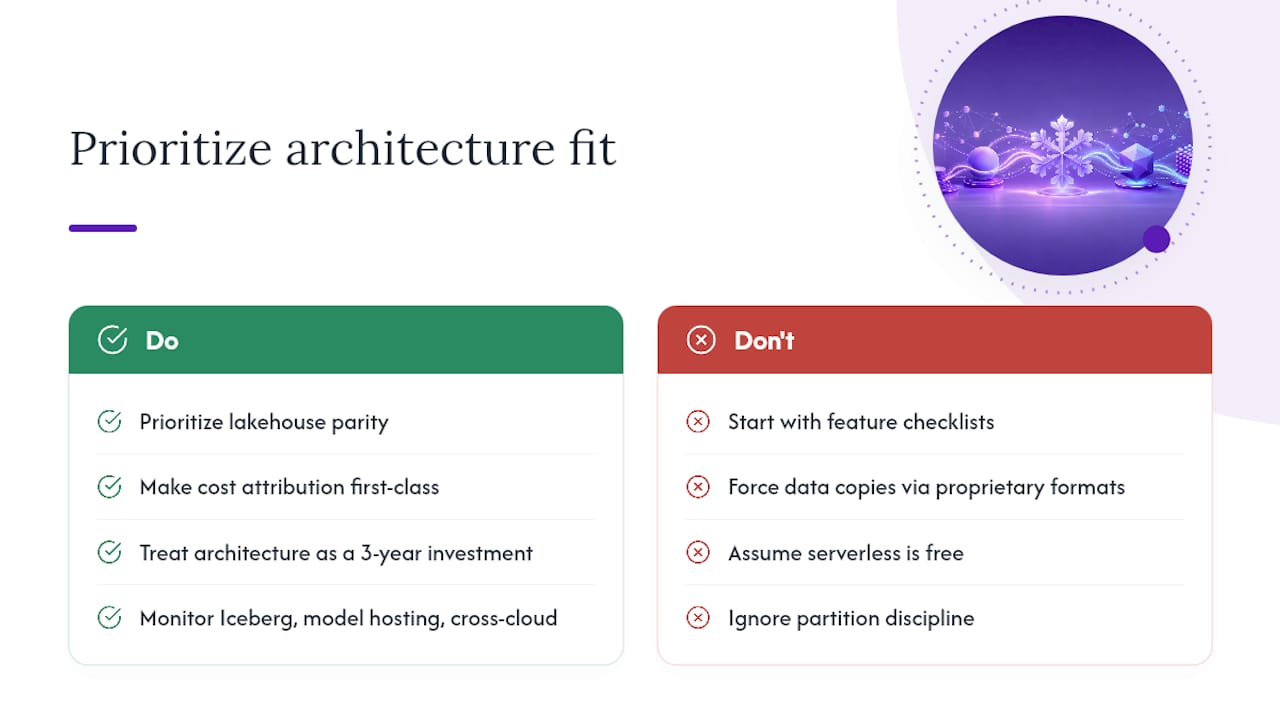
The conventional wisdom in 2026 is that you evaluate Snowflake alternatives by comparing feature checklists: does it support time-travel? Does it have a native connector for dbt? Does it offer column-level security? Those questions matter, but they are the wrong starting point.
What is actually shifting in the market is more fundamental. InfoWorld’s analysis frames the current selection decision as an architectural fit question for AI strategy, not a feature comparison. That framing is correct, and most teams are still catching up to it.
The rise of the lakehouse is not primarily a storage story. It is a data-engineering parity story. When your ML team needs to train models on the same data your analysts query, a proprietary warehouse format creates a copy problem. Every time data moves from Snowflake to S3 for a training job, you introduce latency, cost, and a synchronization risk. Databricks on Delta Lake and Microsoft Fabric on OneLake solve this by making the same files readable by both SQL engines and ML frameworks. That architectural decision compounds over time in ways that a feature checklist cannot capture.
The serverless trend is real but misunderstood. BigQuery’s pay-per-query model is not just a pricing convenience. It changes the organizational behavior around data access. When queries are cheap and infrastructure is invisible, more people query data, which surfaces more questions, which drives more value. The flip side is that without partition discipline and query governance, costs scale with curiosity rather than with business value. The platforms that win in serverless environments are the ones that make cost attribution and query governance first-class features, not afterthoughts.
Signals worth watching in the next 12 months include Apache Iceberg adoption as a cross-platform open table standard (already supported by Databricks, BigQuery, Redshift, and Dremio), native model hosting within data platforms (Databricks Model Serving, BigQuery ML, Oracle AI Database), and cross-cloud data mobility as a procurement lever rather than a technical feature.
The teams that will make the best platform decisions are the ones that treat architecture fit as a 3-year investment, not a 3-month migration project.
Toolsplorer helps you compare data platforms without the vendor noise
Evaluating Snowflake alternatives means cutting through a lot of vendor marketing to find the platform that actually fits your workload, team, and budget. Toolsplorer’s AI-driven comparison platform aggregates peer reviews, feature data, and pricing signals from across the market so you can build a defensible shortlist without spending weeks on vendor calls.
Here is what Toolsplorer gives data teams that vendor comparison pages do not:
- Unbiased scoring: — Ratings aggregated from Gartner Peer Insights, G2, and user reviews, not vendor-supplied benchmarks.
The Toolsplorer database category covers data platforms, warehouses, and analytics tools with the same structured comparison approach. Start there to continue your research, compare platforms side by side, and find the vendor documentation you need to run a PoC. Visit Toolsplorer to build your shortlist today.
Useful sources and further reading
The following sources were used to research and validate the claims in this article. Verify pricing and certifications directly on vendor pages before making any commitment, as both change frequently.
- Buyer’s guide: Comparing the leading cloud data platforms | InfoWorld
- Top Snowflake AI Data Cloud Alternatives & Competitors 2026 | Gartner Peer Insights
- Snowflake competitors: 16 alternatives worth exploring (Flexera)
- Snowflake competitor | DataCamp
- Snowflake Competitors: A Practical Comparison of the Top Alternatives in 2026 | Growthscribe
- Data Warehouse Comparison Guide: Which Platform Fits You? | Fivetran
- 7 Best Snowflake Alternatives & Competitors (2026 Comparison) | Improvado
- Auto-scale Snowflake — major leap forward for massively concurrent enterprise applications | Snowflake Blog
- Snowflake Inc. — Wikipedia
Pricing figures and certification status change. Always verify current information directly with vendors before finalizing a platform decision.
FAQ
Who is Snowflake’s biggest competitor?
Databricks is most frequently cited as Snowflake’s primary competitor in enterprise evaluations, particularly for ML-heavy and data engineering workloads. Amazon Redshift and Google BigQuery are the strongest competitors for cloud-native SQL analytics.
Will Databricks overtake Snowflake?
Databricks has gained significant ground in ML and data engineering workloads where open lakehouse architecture outperforms Snowflake’s warehouse model. Whether it overtakes Snowflake depends on how quickly SQL-first analytics teams adopt lakehouse workflows, which remains an open question.
What is the most cost-effective Snowflake alternative for event analytics?
ClickHouse and ClickHouse Cloud consistently deliver the lowest cost per query for high-volume event and telemetry workloads, where columnar aggregations on large single tables are the dominant query pattern.
Why do teams switch away from Snowflake?
The most common reasons are cost (credit consumption at scale), lock-in to Snowflake’s proprietary table format, and the need for tighter ML and data engineering integration that open lakehouse platforms like Databricks handle more naturally.
How long does a Snowflake migration typically take?
A small-to-medium migration with a scoped PoC typically runs 8–10 weeks from estate inventory to cutover decision, assuming SQL compatibility issues are moderate and BI dashboards are well-documented. Larger enterprises with complex stored procedures and hundreds of dashboards should plan for 6 months or more.